
 00:00:00Home
Loading
0
Event infrastructure powering 1,000+ of the most exclusive events
After cycling through agencies and using freelancers, Rumor consolidated all of their design & engineering to Parallel Studio. We rebuilt their entire platform for the Summer 2.0 release.

[The brief]
One team for the whole platform.
After cycling through agencies and freelancers, Rumor moved all of its design and engineering to Parallel Studio. The brief: rebuild the platform behind 1,000+ of the most exclusive events for its Summer 2.0 release.
That's the host portal on the web, and the host and guest apps.
[01 · Events]
From a wall of posters to live events.
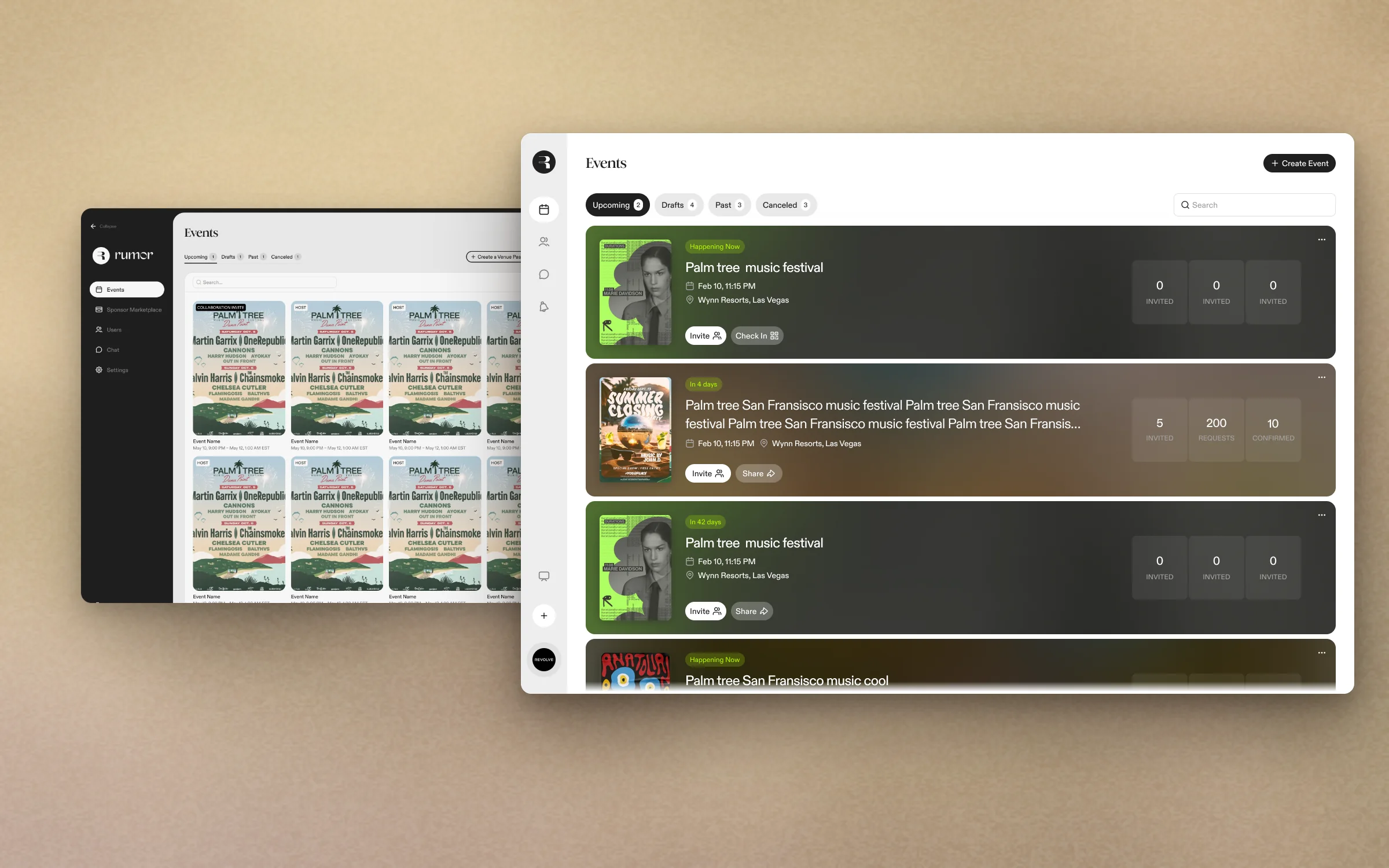
The old dashboard was a grid of posters, each with a name and a date. Now every event is a card in its own flyer's colours: how soon it starts, where, how many are invited, requesting and confirmed, and invite, check-in and share a click away.


[02 · The event]
Everything about an event on one screen.
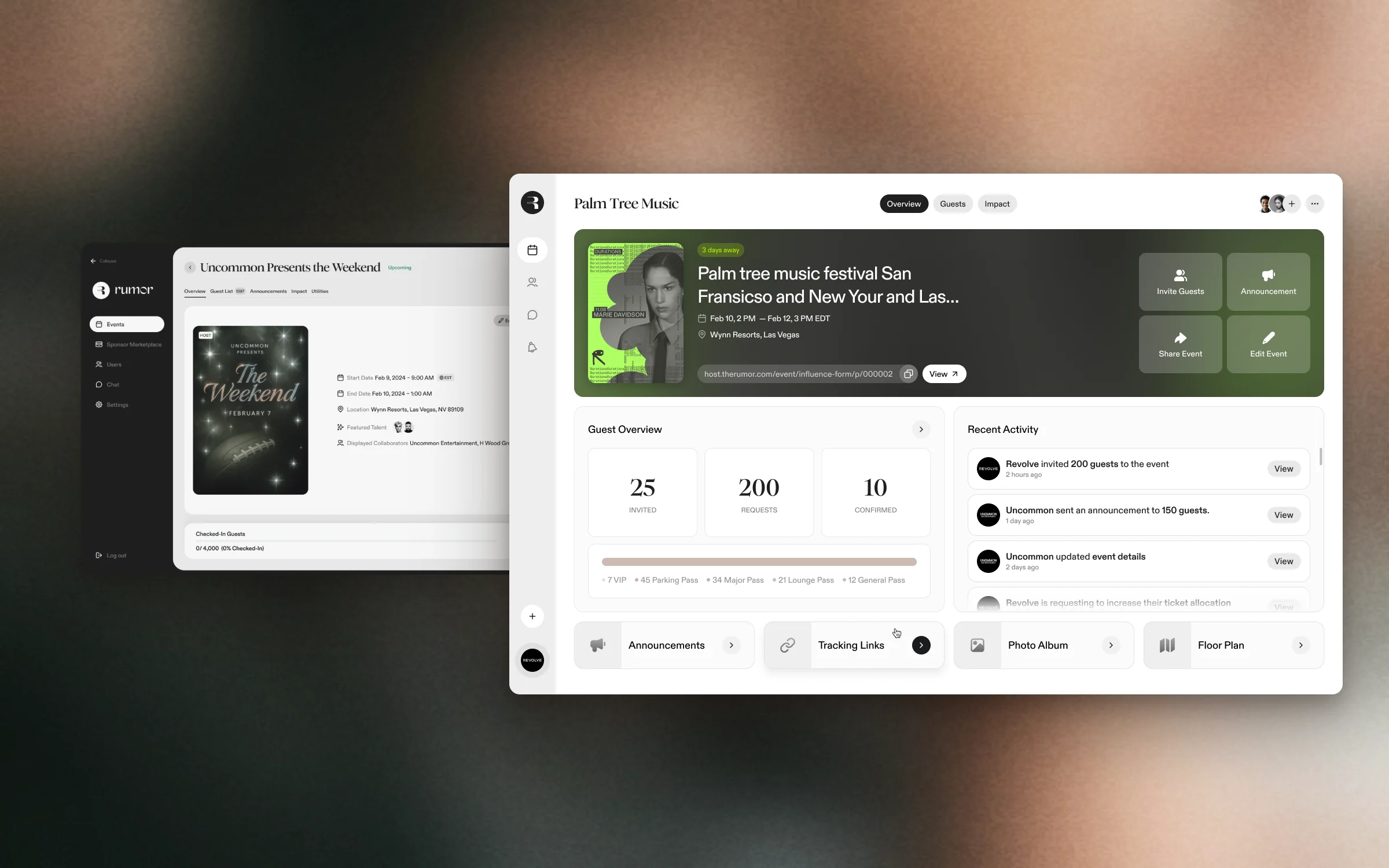
An event opens on its overview: invite, announce, share and edit up top; the guests invited, requesting and confirmed, with the ticket mix; what's just happened; and the way to announcements, tracking links, the photo album and the floor plan.

[03 · Guests]
Inviting, curating and checking in.
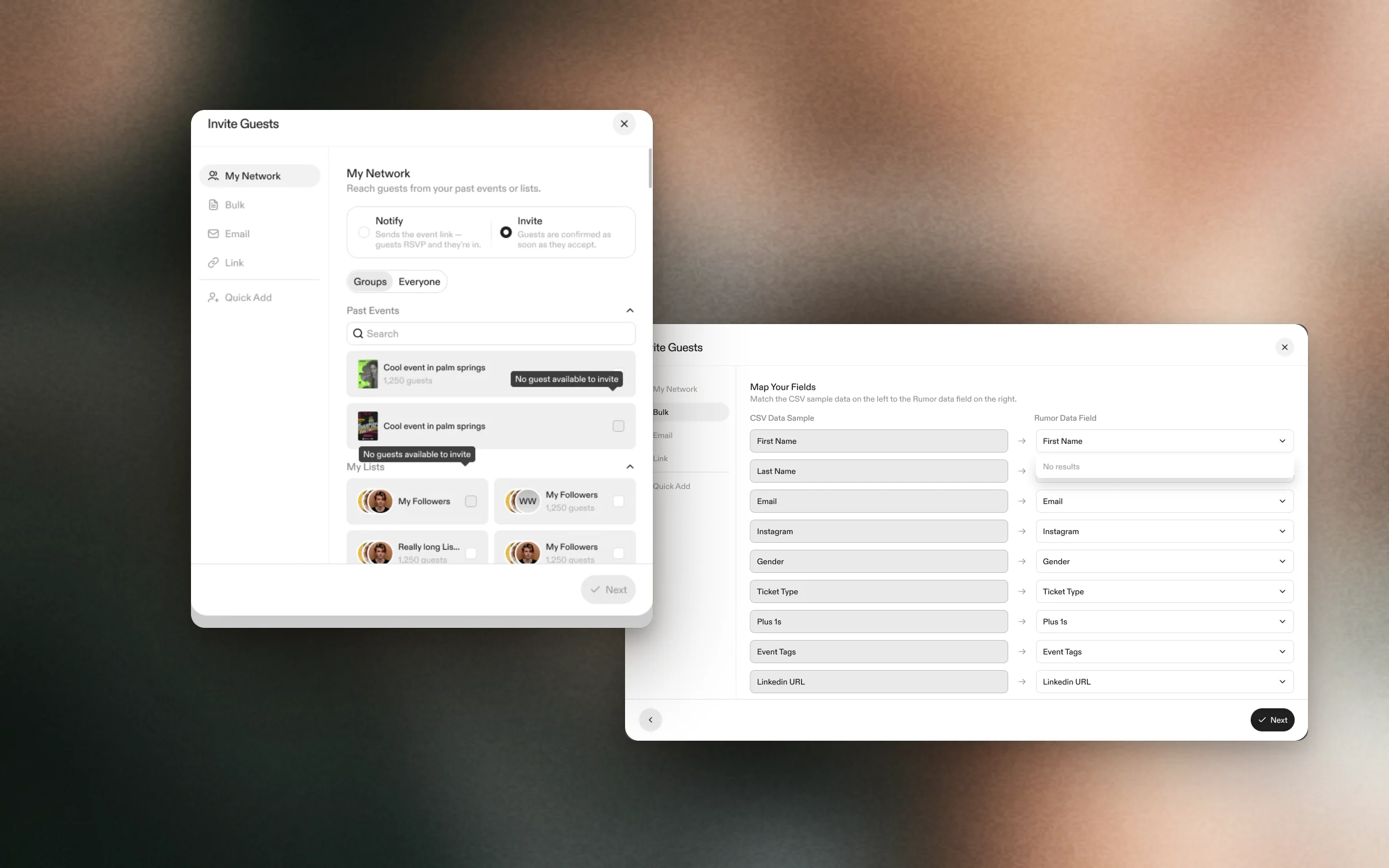
Hosts invite from their network and past events, a spreadsheet, email, a link or by hand, and choose whether people are confirmed straight away or asked first.
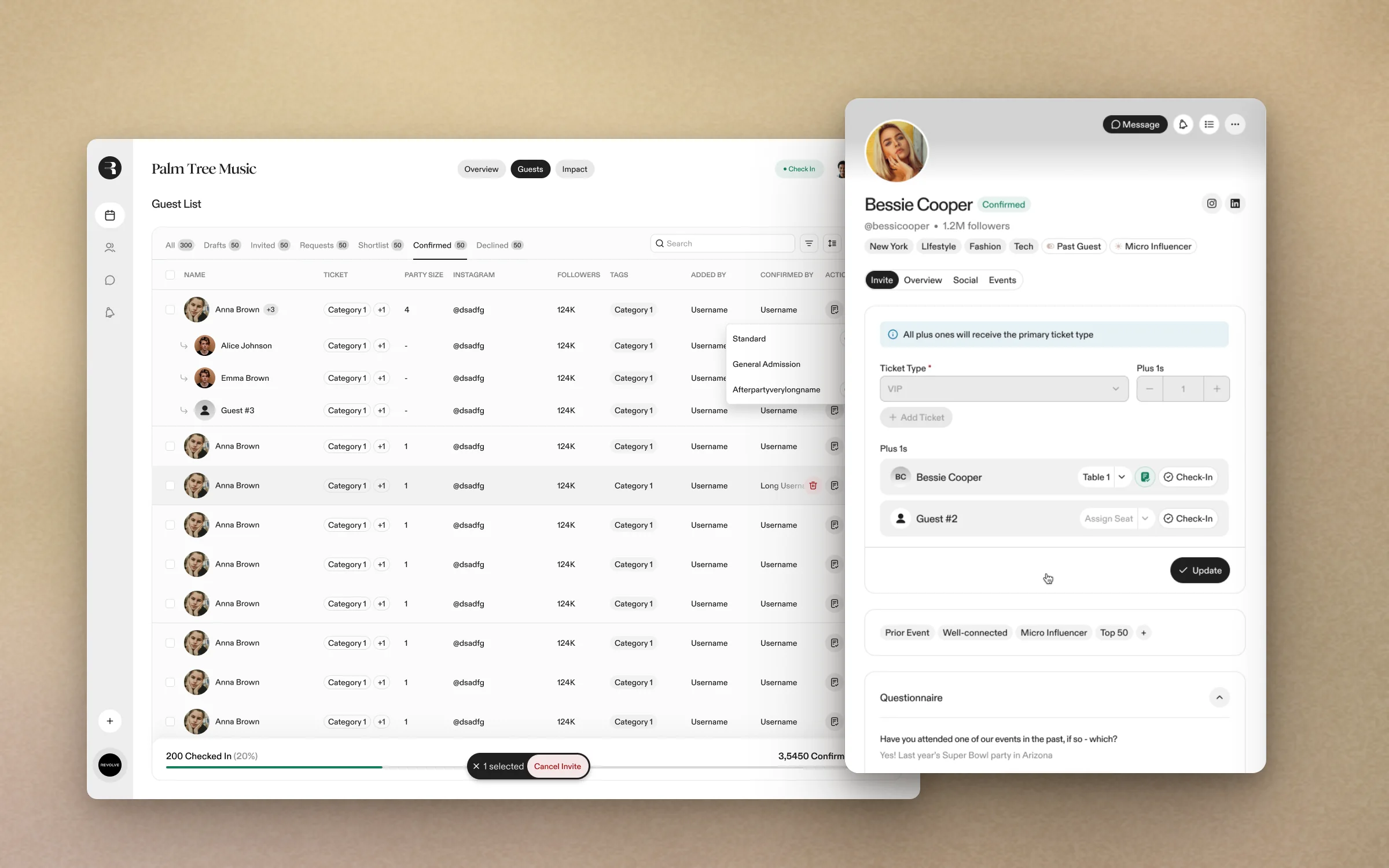
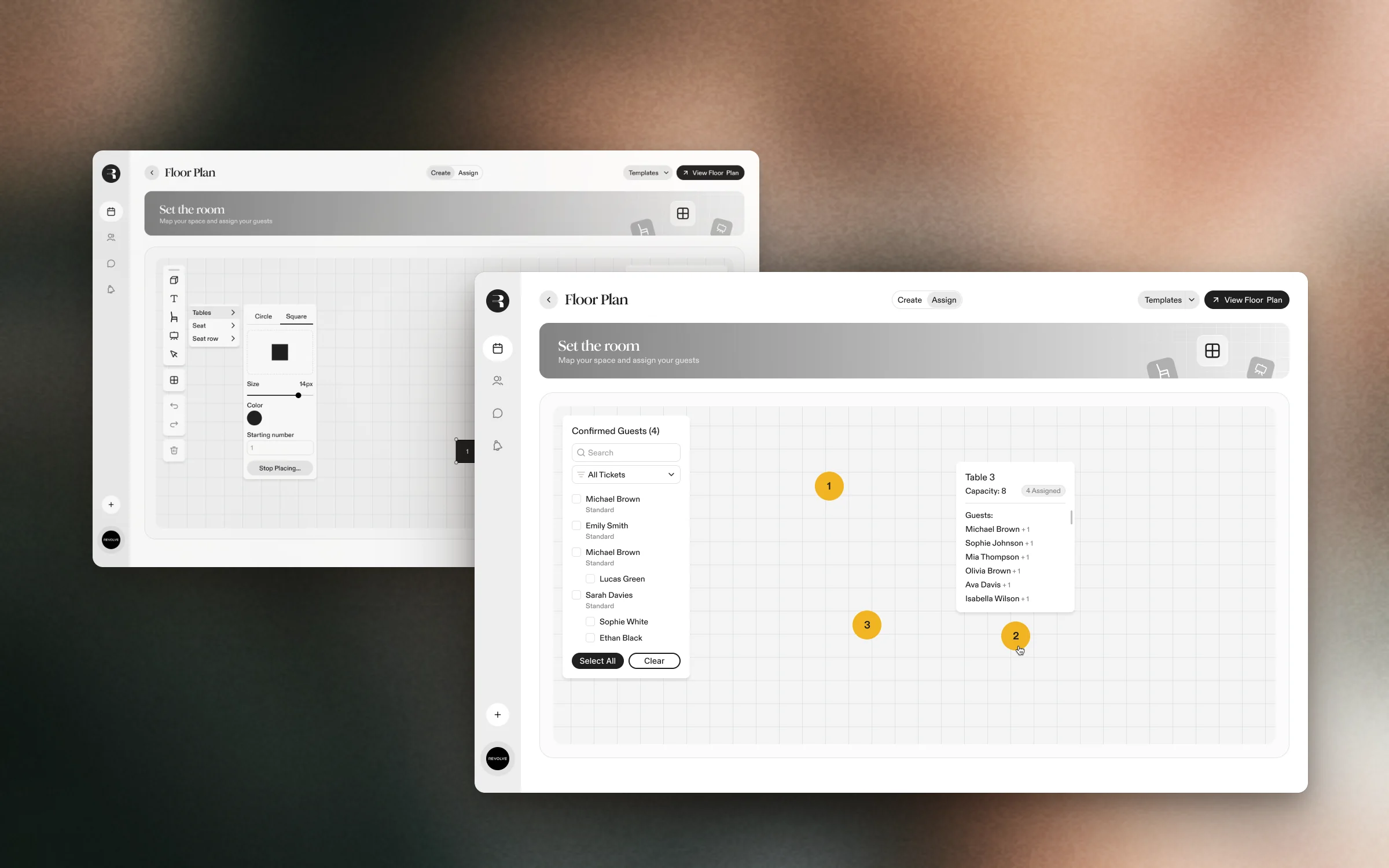
The guest list keeps every status in one row of tabs, plus-ones under their guest and tickets checked in one by one, with a guest's profile, seat, tags and answers a click away. A floor plan seats them.

[04 · Impact]
What the night was worth.
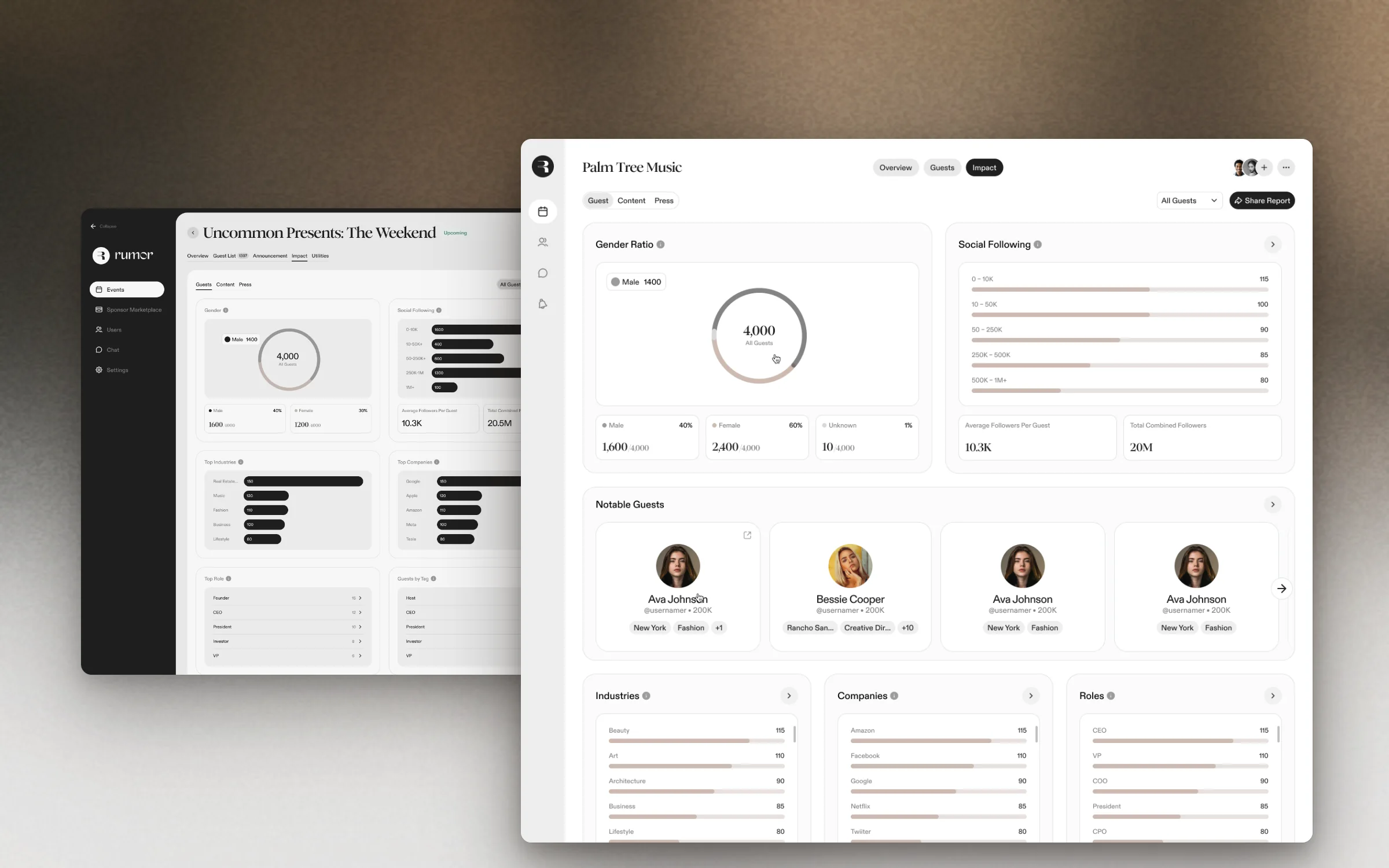
After the event, Impact shows who came, from gender and following to notable guests, industries, companies and roles, then the content they posted with its reach and estimated media value, and how the announcements did. It all goes into a report the host can share.
[05 · Network]
Every guest, remembered.
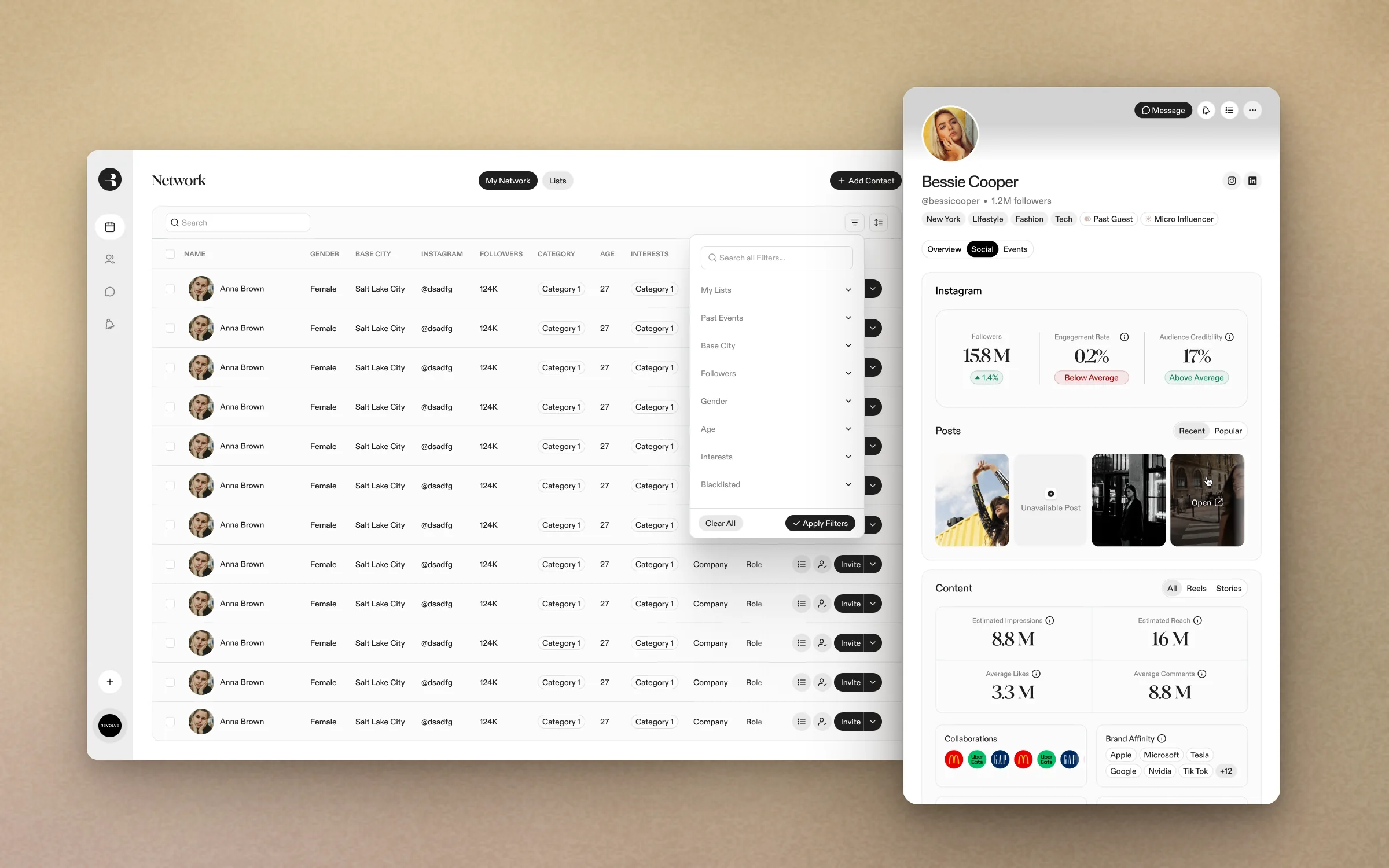
A host's network keeps everyone from every event, with filters, lists and profiles filled out with their audience, content and the brands they work with. Chat keeps the conversation with each guest next to their status.


[06 · Home]
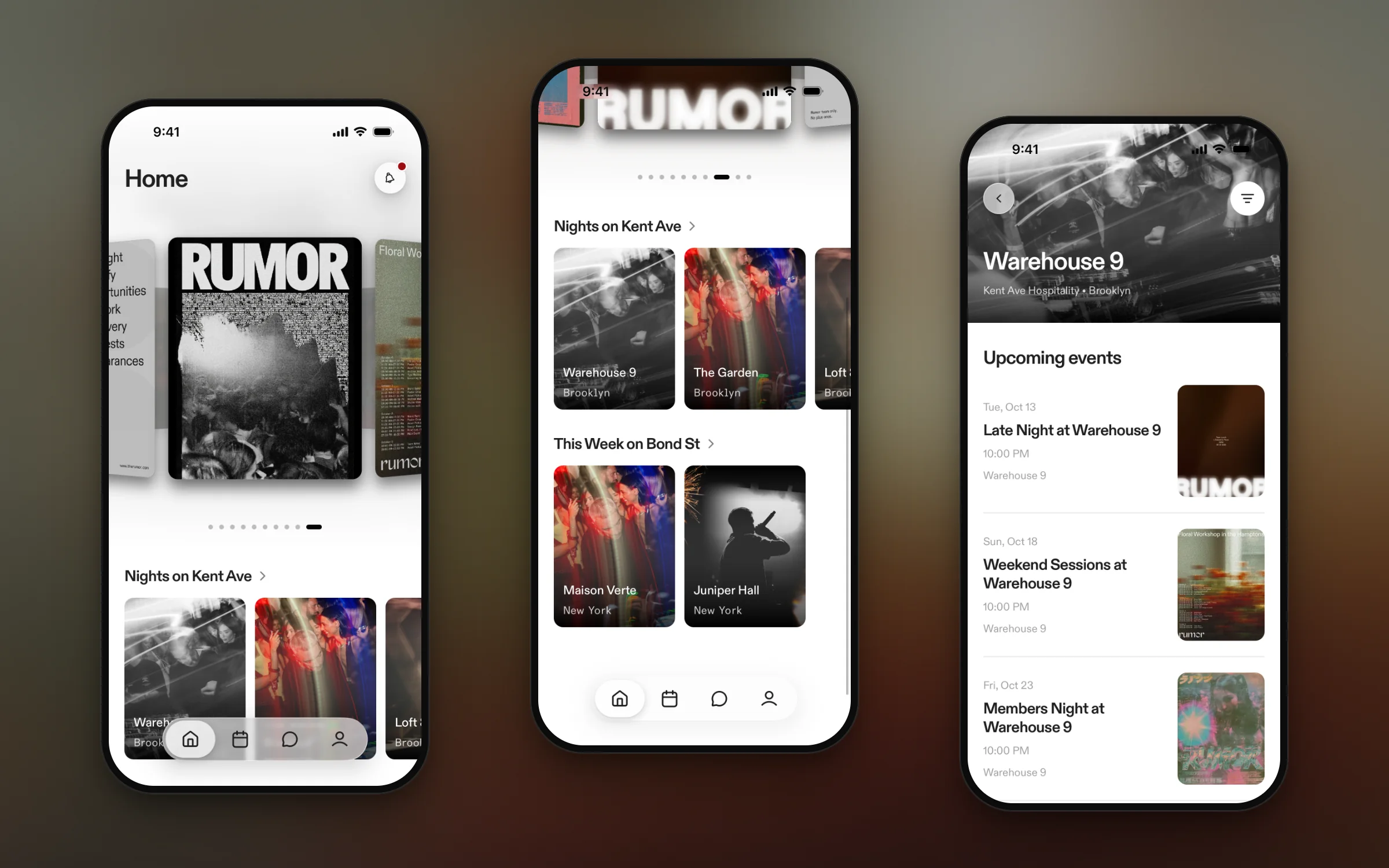
Posters first, on a wheel you can spin.
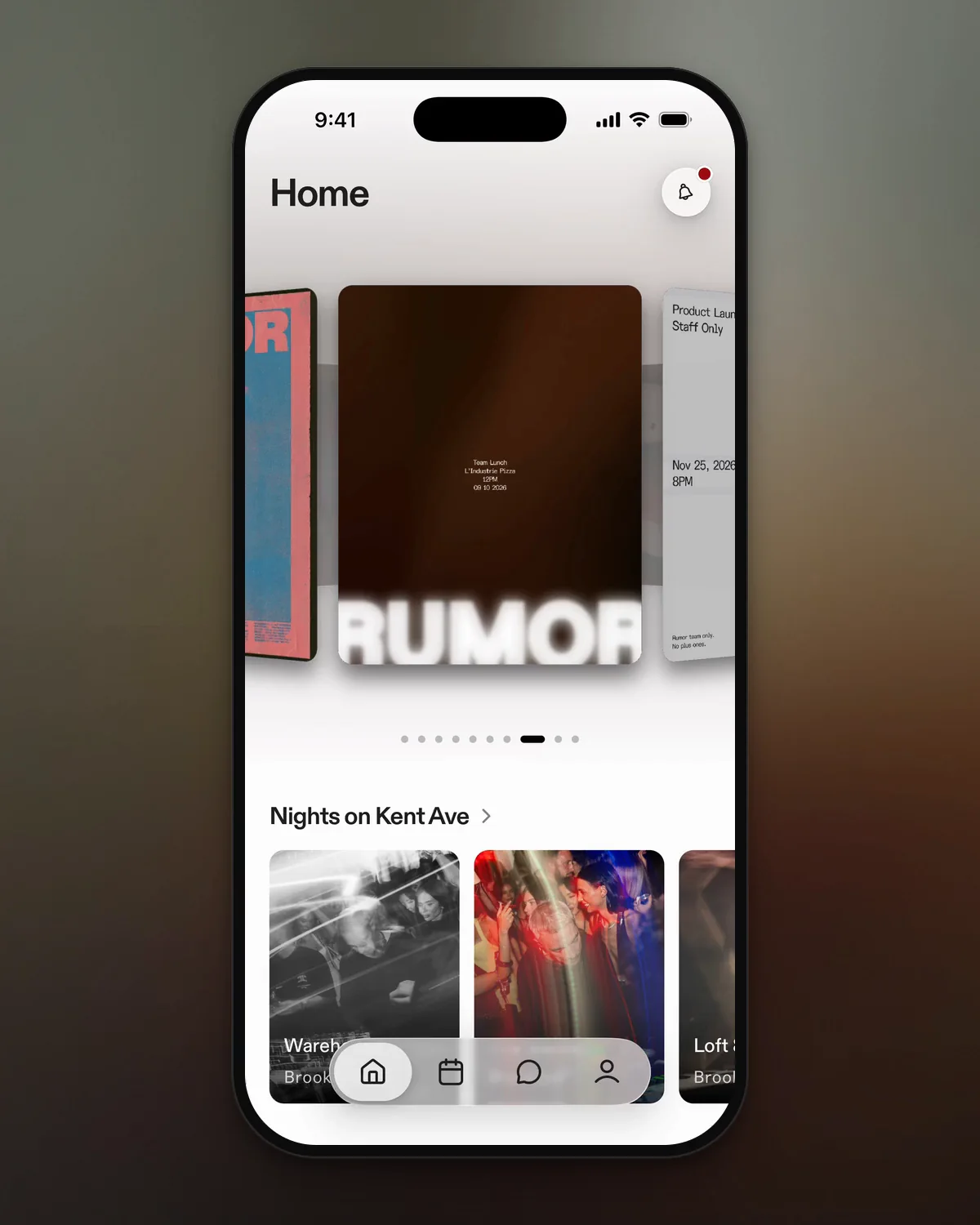
In the app, Home opens on the events Rumor is spotlighting, their posters standing on a 3D wheel. Drag it and it carries your momentum, with a click you can feel as each poster passes the front, then settles on the nearest one, the page glowing softly in its colours. Tap it to open the event.
Below, venues come in rows by the group that runs them. Each venue opens on its upcoming events, and from those guests can ask for a table.
[07 · The event]
One page that changes with the night.
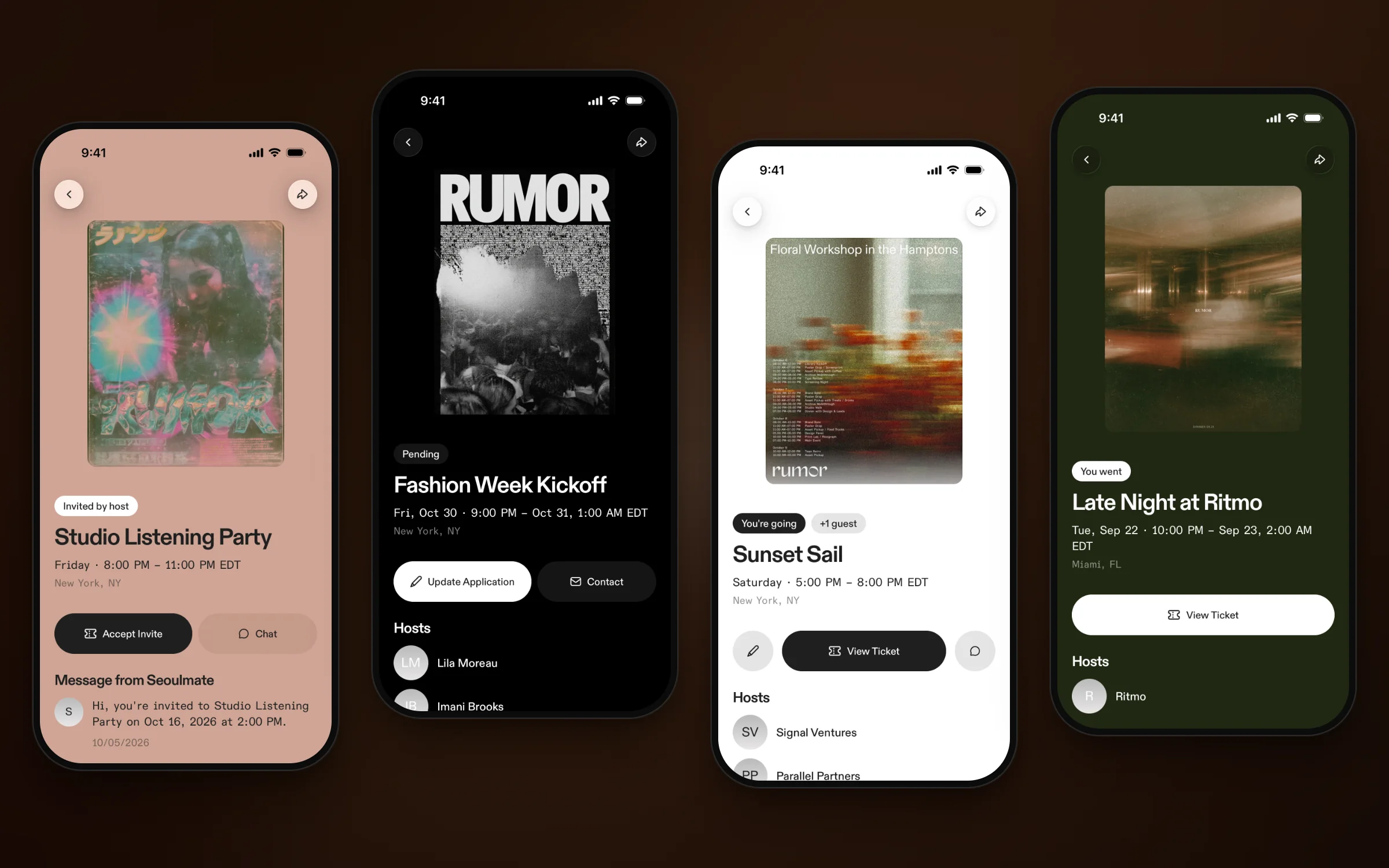
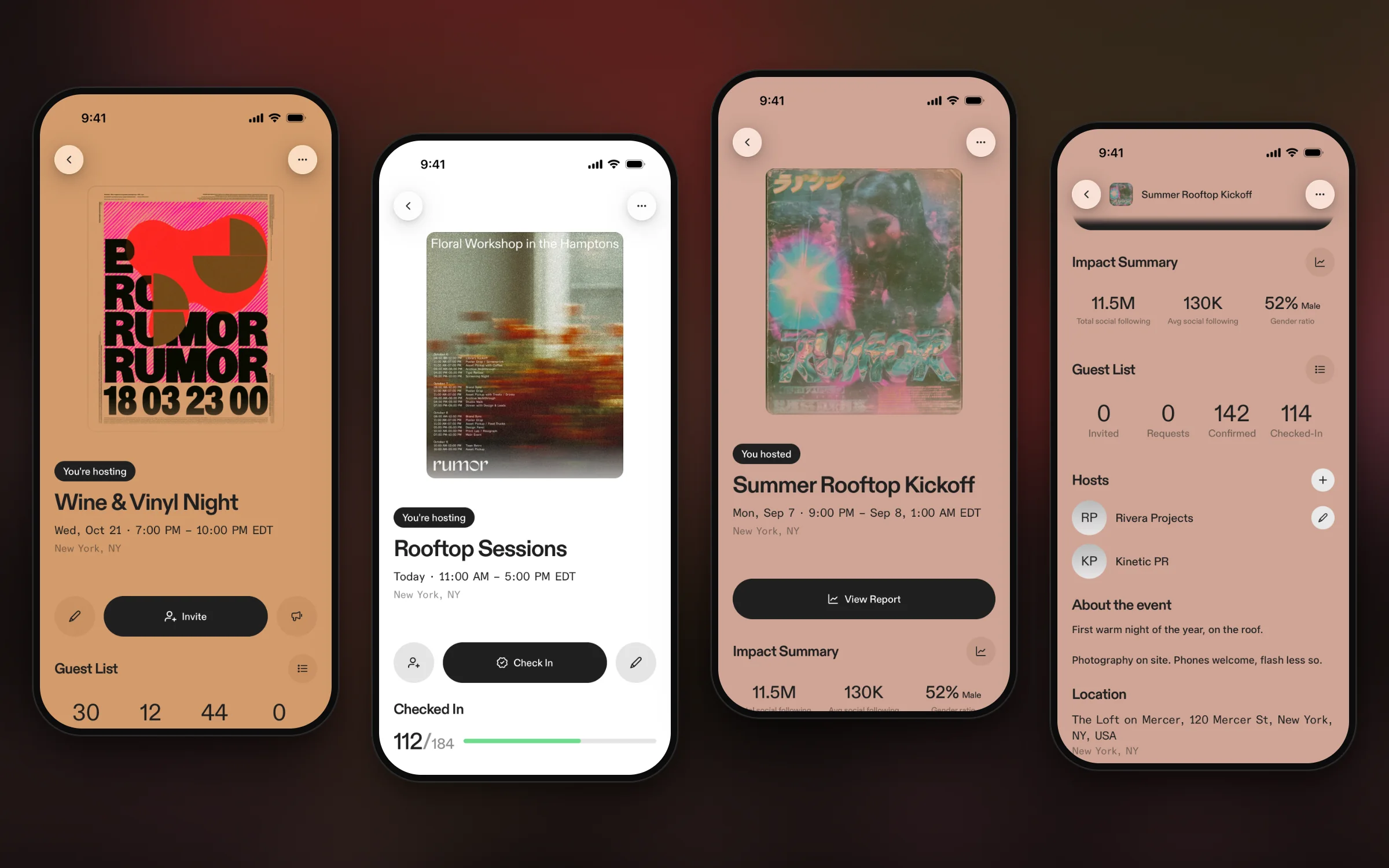
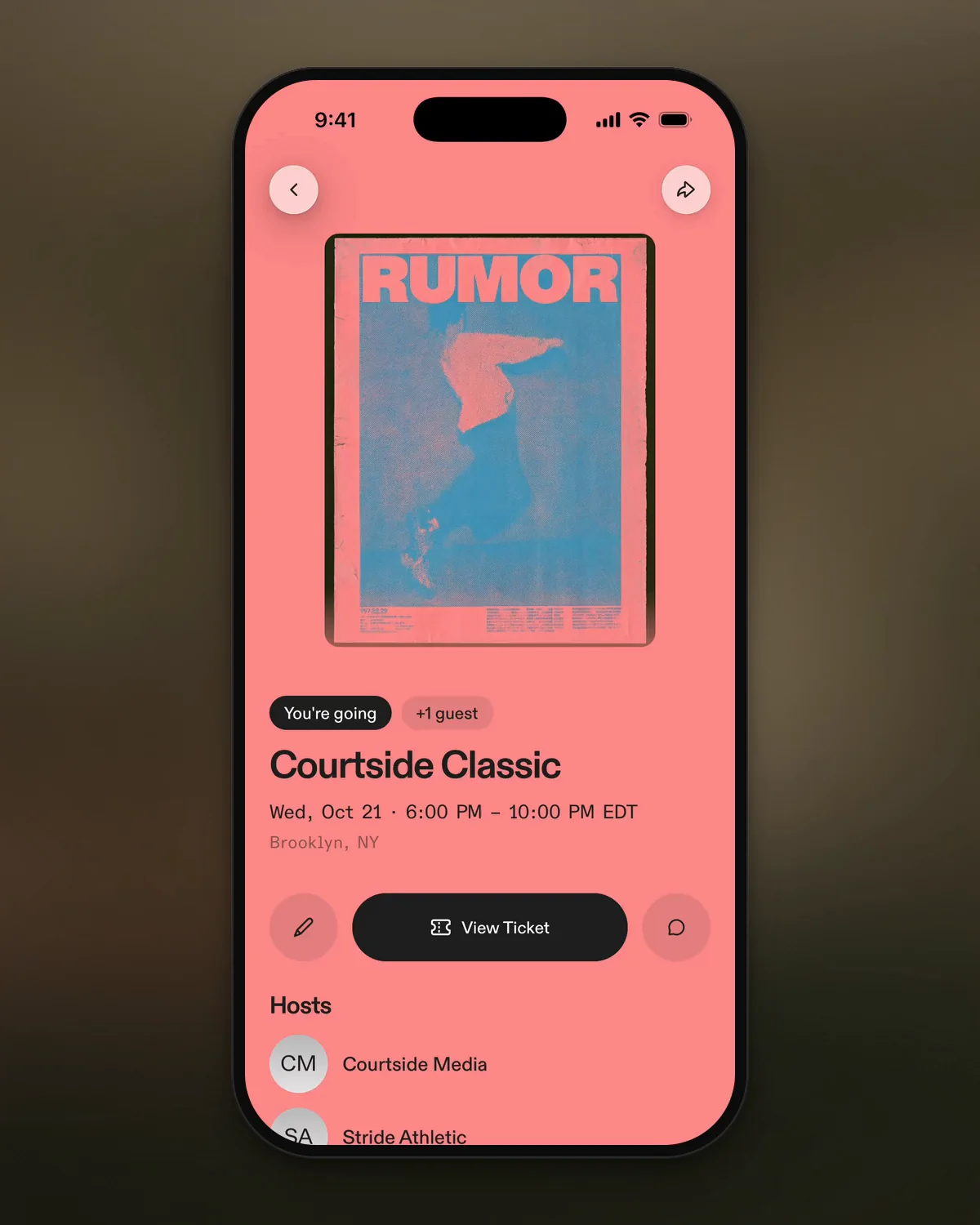
Every event page takes its colour from its poster, with the text set light or dark so it stays readable. The poster sits large up top and folds into a title bar as you scroll, and a pill says where you stand.
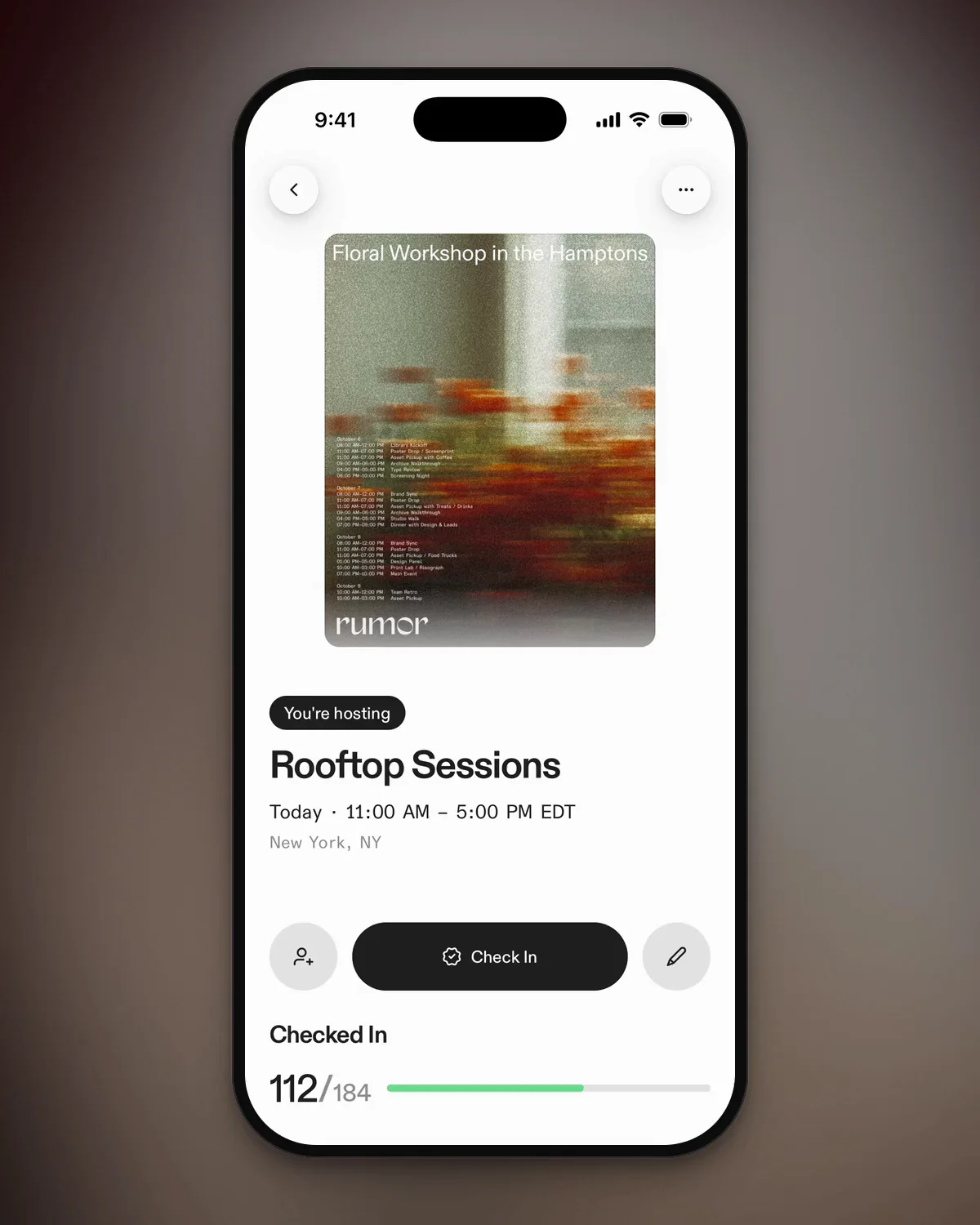
For guests, the actions follow the invite: accept it, update an application while it's pending, open the ticket once you're going, and find it again after. For hosts: invite before the night, check guests in on the day with the count so far, and afterwards go straight to the report, with the guests' following and gender split summed up on the page.

[08 · Who's going]
Your friends, poured in.
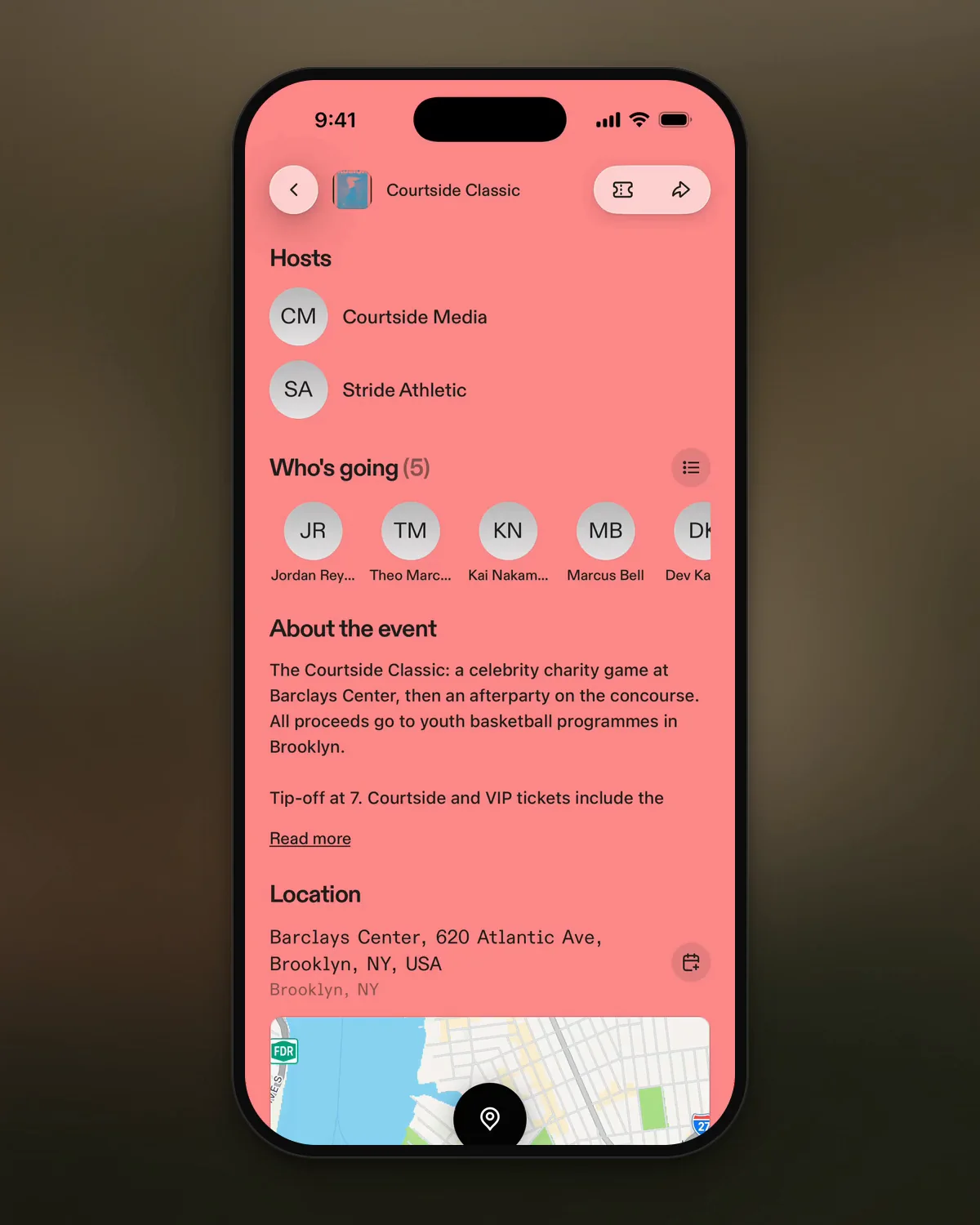
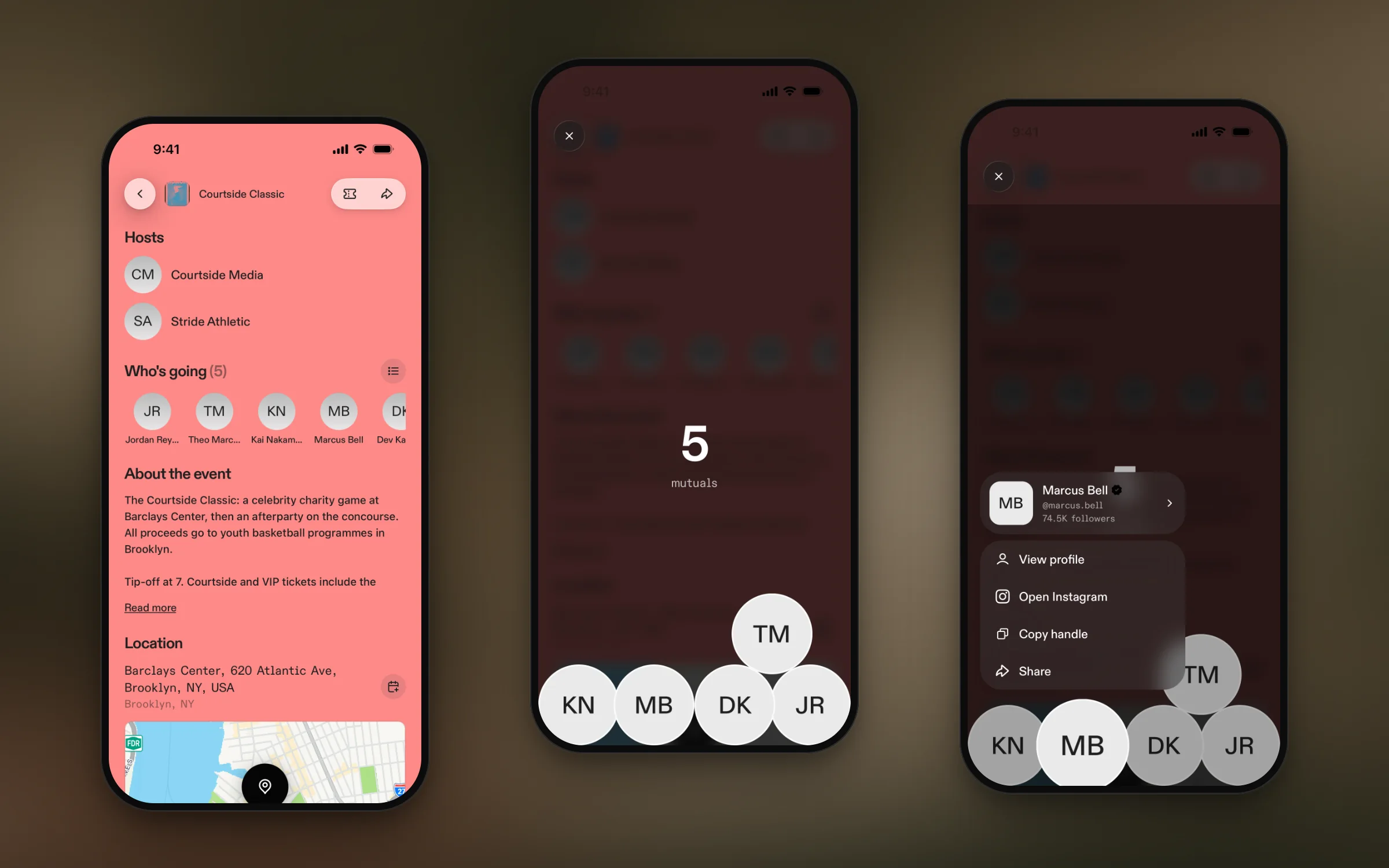
Who's going opens over the event as a pit of your mutuals, one ball each. They pour in, bump into each other and settle as the count in the middle ticks up to how many are going, and you can pick any of them up and throw them around.
Tap and hold a ball and it lifts out of the pile, like an iOS context menu: a card with their name, handle and followers, and quick actions to view their profile, open their Instagram, copy their handle or share them.
[09 · The ticket]
The code, made into an orb.
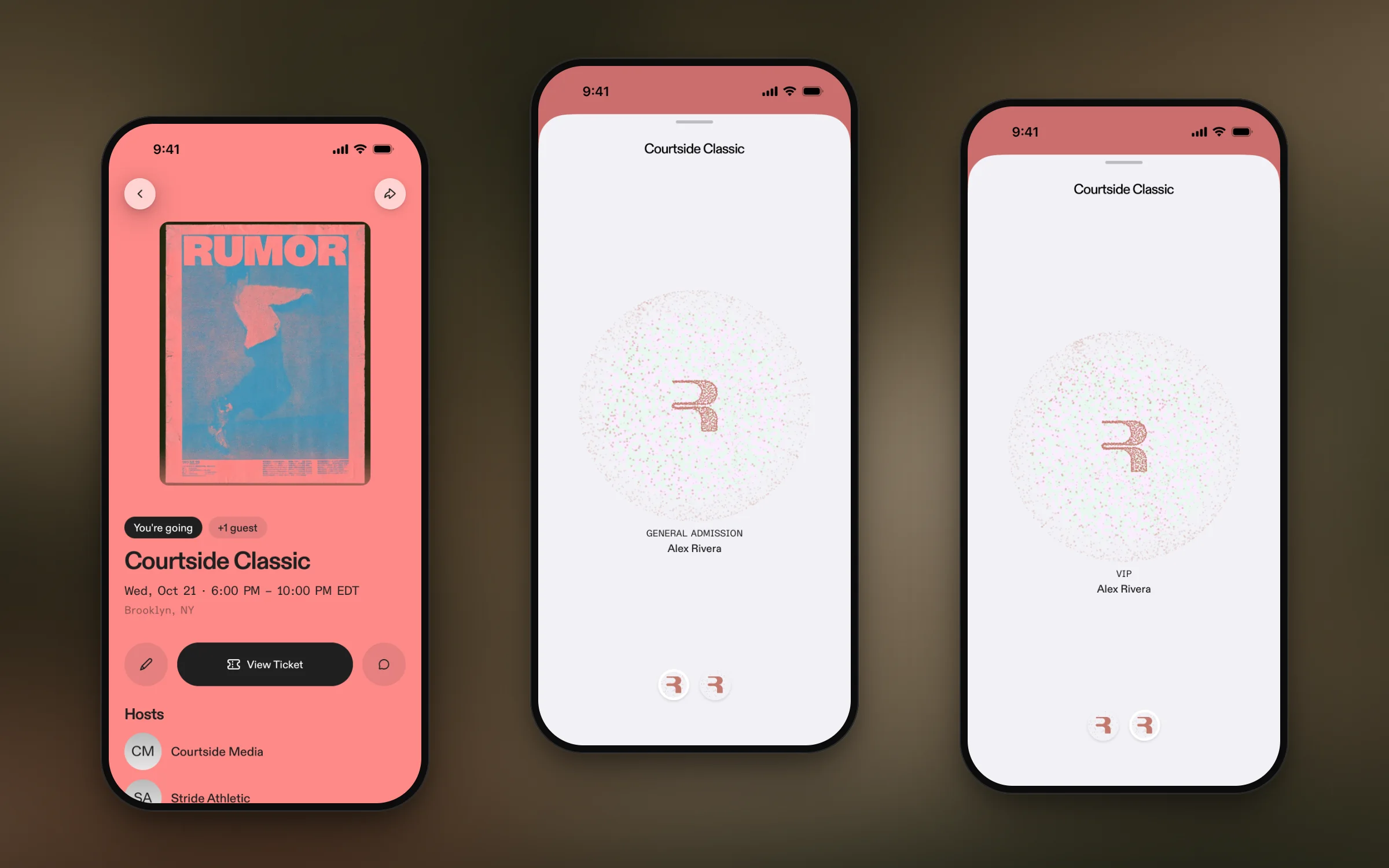
The QR code became an orb: 2,400 grains in the event's colour around the Rumor R, which gather when the ticket opens and scatter under your finger. The ticket's code rides in a faint colour pattern beneath them, which the host's iPhone reads from live video, alongside ordinary QR codes.
It opens as a sheet over the event, with the ticket type and name under the orb, and a guest holding more than one ticket switches between them from the row below.
[10 · The guest list]
Less on every row, more within reach.
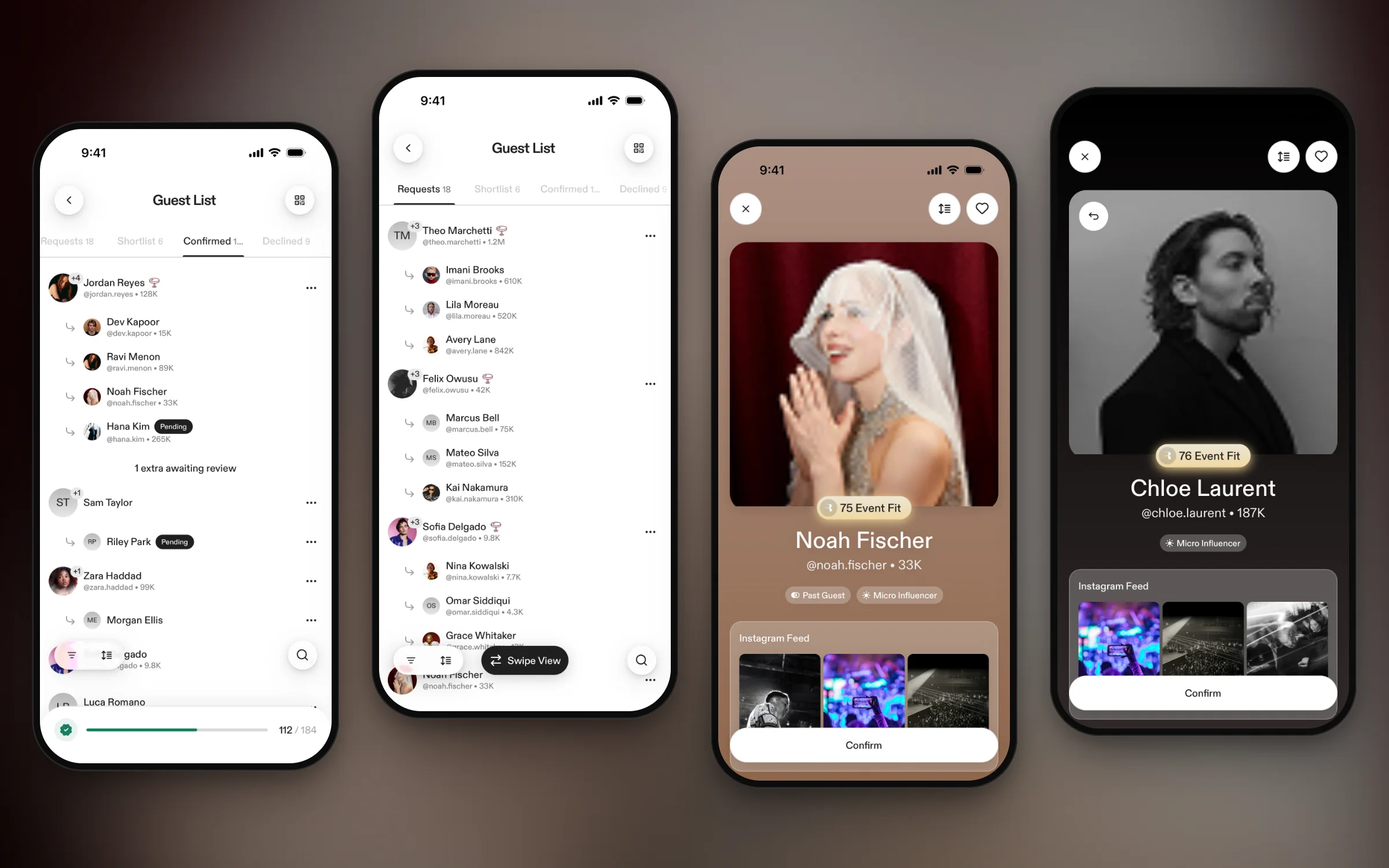
The guest list opens on who's confirmed, with plus-ones tucked under the guest who brought them and anyone still waiting marked Pending. Each row keeps its actions in one menu, search, filters and sort float at the bottom, and a bar beneath counts the night's check-ins.
Requests can be reviewed one at a time in Swipe View: a card for each guest with their event-fit score, tags like Past Guest, and their latest Instagram posts. Swipe right to shortlist, left to pass.
[11 · Design system]
One system, light and dark.
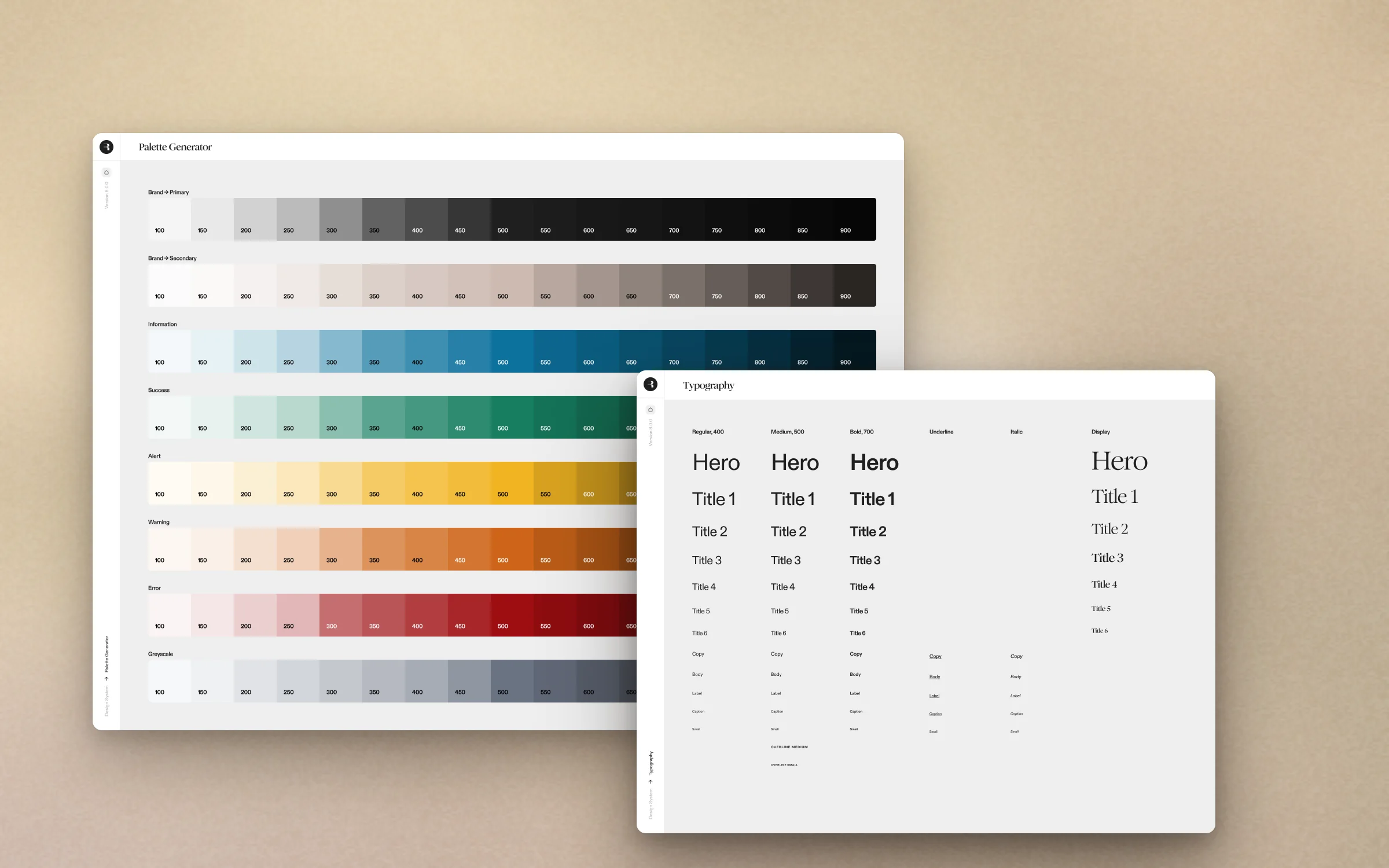
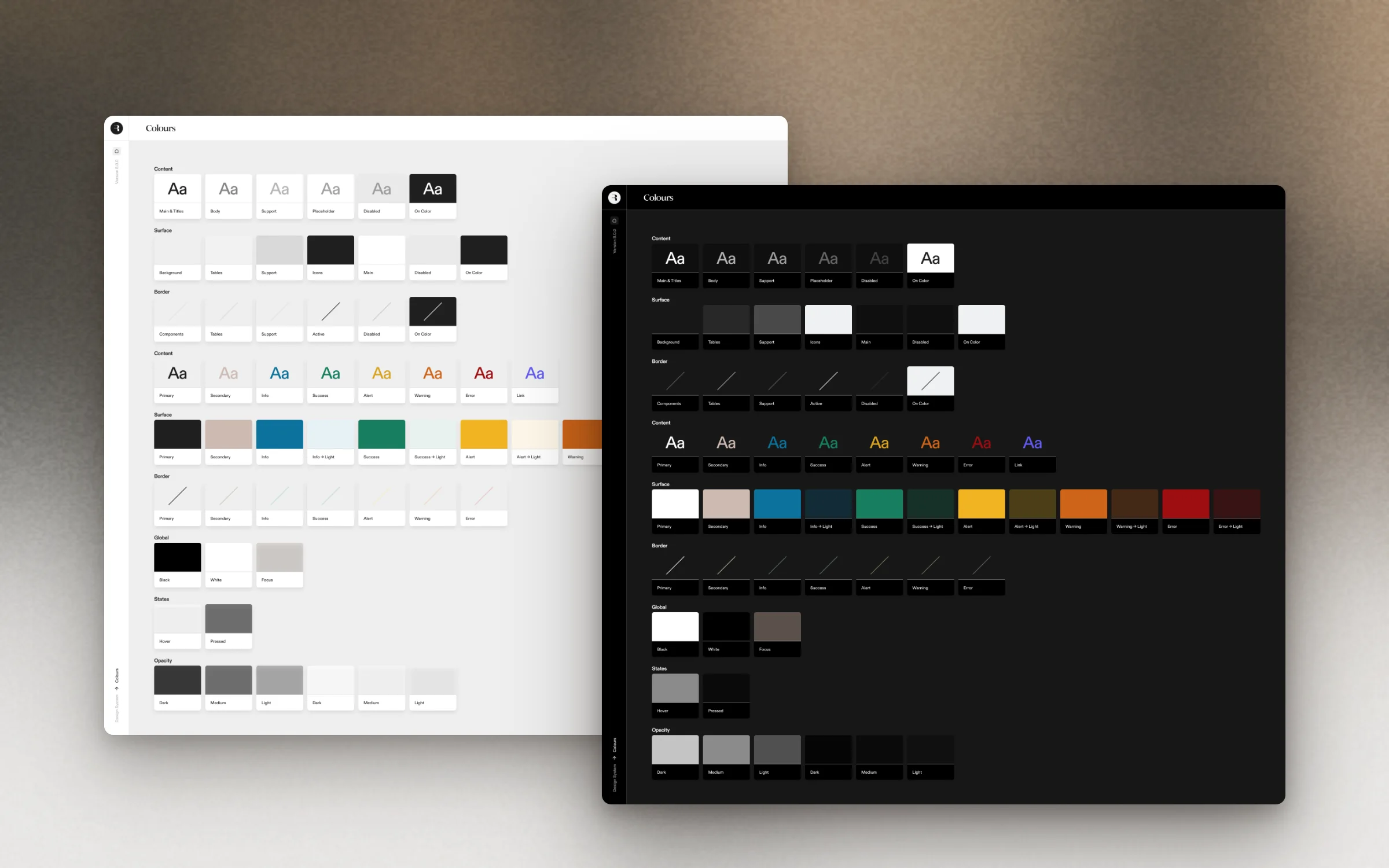
Web and app share one design system: semantic colours for light and dark, a serif for display beside a clean sans for everything else, nearly 4,800 icons in four styles, and around 1,650 component variants.
[Outcome]
Live for Summer 2.0.
The rebuilt platform shipped as Rumor's Summer 2.0 release, behind 1,000+ of the most exclusive events, with design and engineering now in one place.
